▦
A grid you control
Drag widgets where you want them, resize them, spread them over pages. The notch follows your cursor across displays.
Notchmate puts weather, calendar, system stats, music, notes and 50 more widgets right under the notch. Real glass, one hover away, on any Mac.
One time payment. Lifetime updates. No account. macOS 13 or newer.
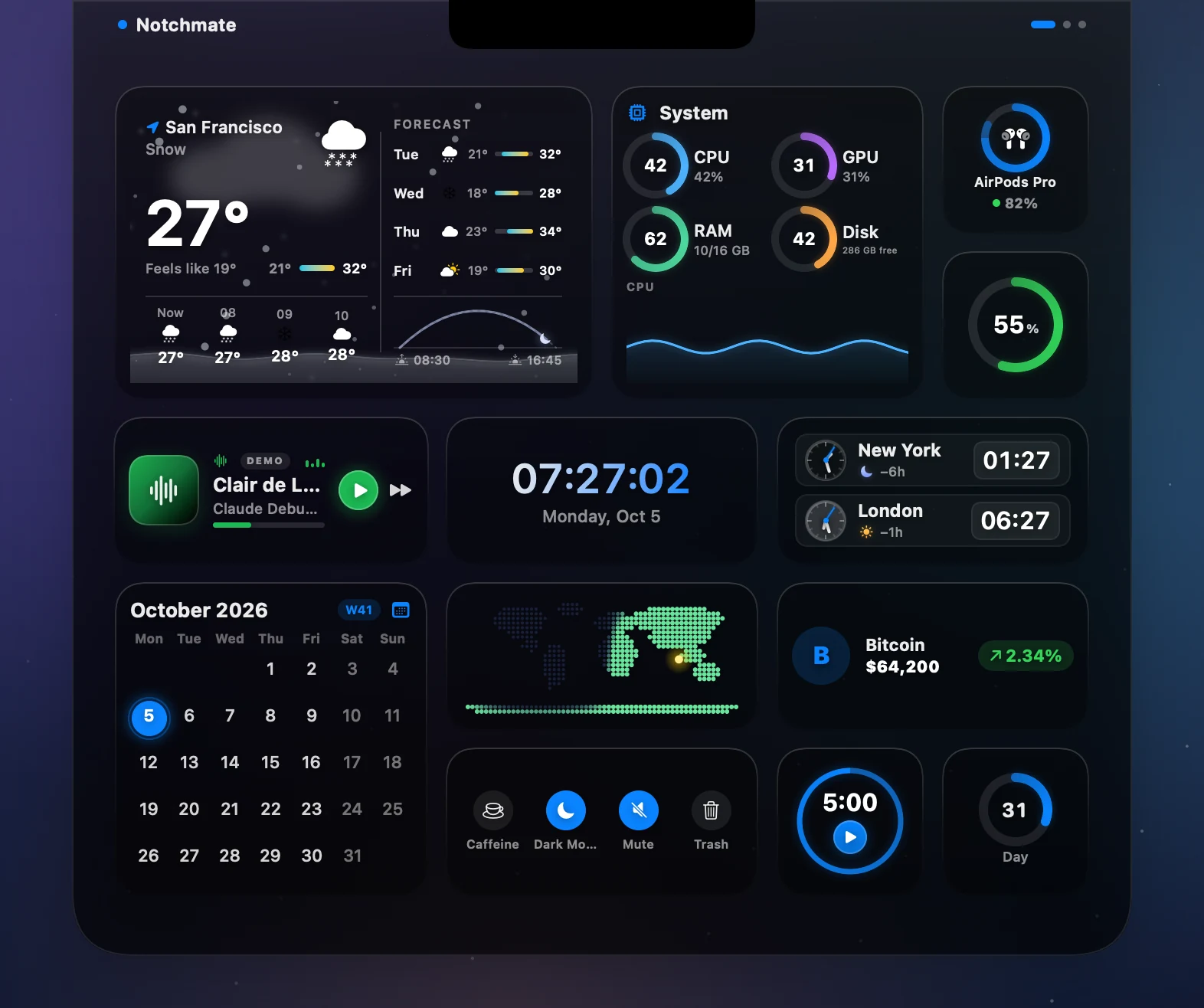
Not a mockup: every tile is rendered straight out of the app.
The notch is the most valuable spot on your screen and does nothing. Notchmate fixes that, without getting in your way.
Drag widgets where you want them, resize them, spread them over pages. The notch follows your cursor across displays.
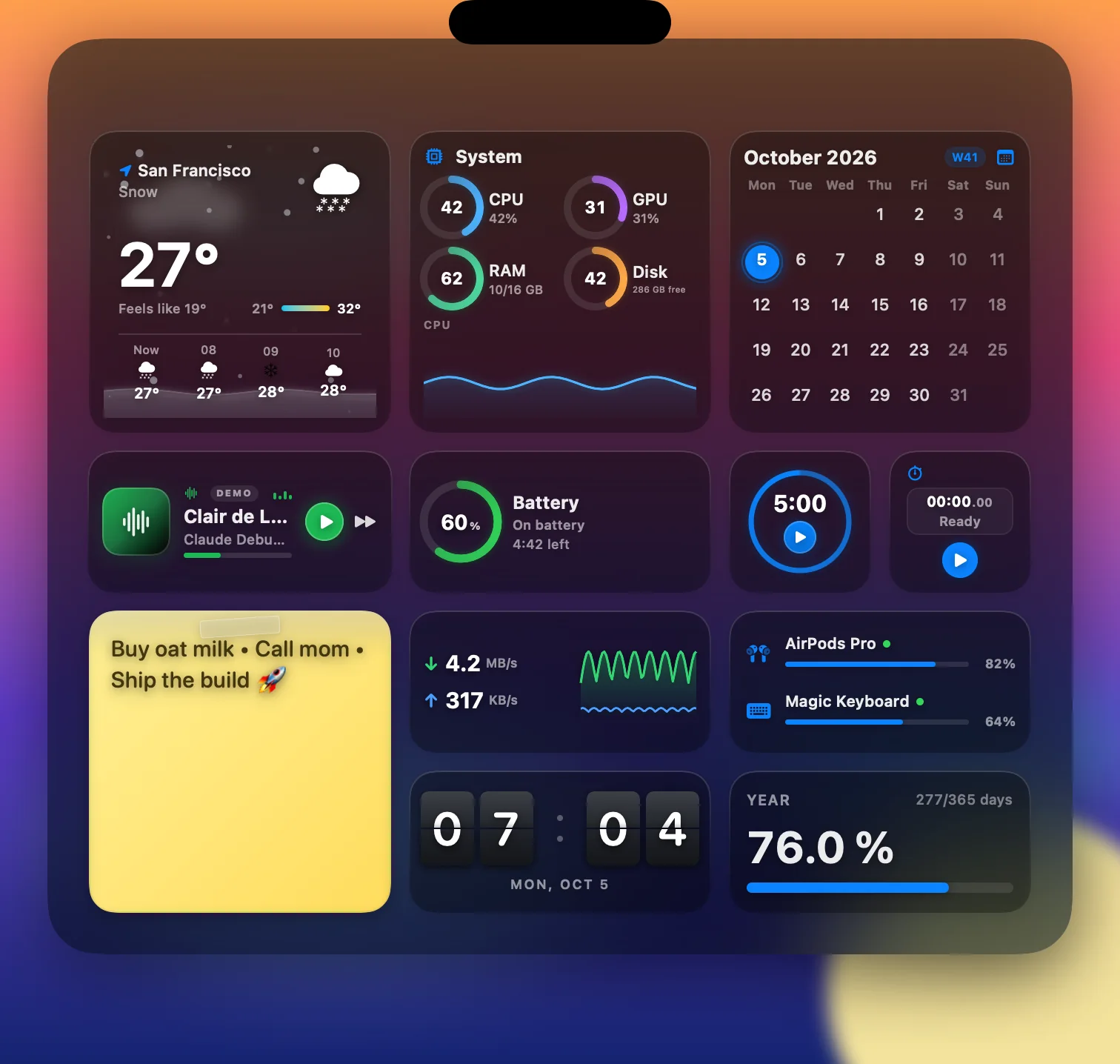
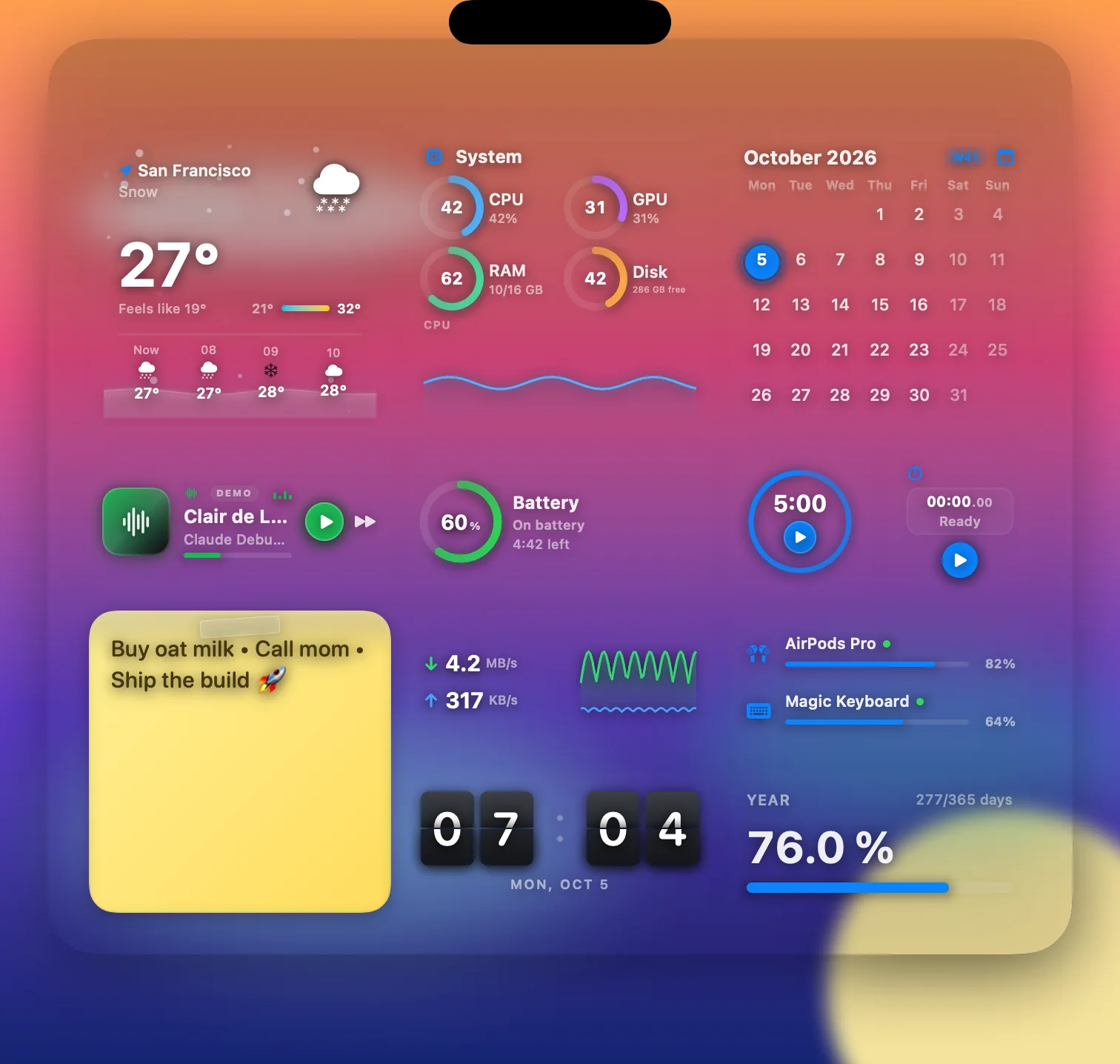
One slider from dense frost to truly clear. Your wallpaper shows through, not a blurred copy of it, and the settings stay readable either way.
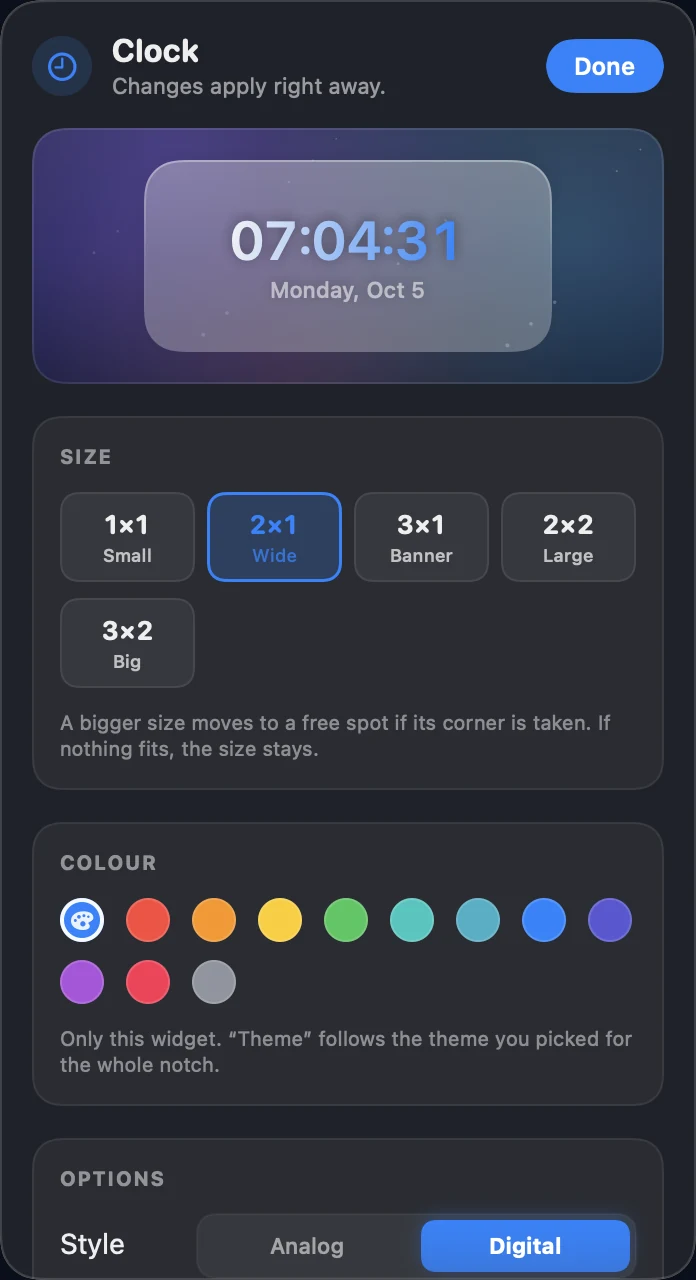
Live preview, size, colour and options of each widget in one place.
Pick a palette and every widget follows. Or give a single widget its own colour.
Widgets animate only while you look at them. Idle cost is close to zero.
Notchmate runs locally. No account, no telemetry, no cloud. Your data stays on your Mac.
The widgets share their engine with BetterMacWidgets, the desktop widget app. Every fix there reaches your notch too.
One slider from a dense, dark frost to a pane of glass with no blur and no cards: your wallpaper shows through and only the widgets stay. Drag to compare.
Right click a widget and choose Settings. A small panel opens next to the notch, with the widget drawn live above its controls and a dense backdrop of its own, so it is easy to read even on fully clear glass.
55 widgets, each with its own layout per size. Here is the Weather widget, the real one, running live in your browser. Pick a scene, a theme and the glass.
One key, activated on as many Macs as you pick. All future updates included, no subscription.
Just this app
Lifetime licence, download and key right after purchase. macOS 13 or newer, Apple Silicon.
Notchmate, MenuBarMonitor and BetterMacWidgets. Three lifetime licences, three downloads, one email.
NotchmateWidgets in your notch BetterMacWidgets
Live, interactive widgets on your desktop, in Liquid Glass
Visit bettermacwidgets.de →
BetterMacWidgets
Live, interactive widgets on your desktop, in Liquid Glass
Visit bettermacwidgets.de →
 MenuBarMonitorCPU, RAM and more in the menu bar
One Mac per app. Individual prices: Notchmate €9.99, MenuBarMonitor €14.99, BetterMacWidgets €19.99.
No. Notchmate costs €9.99 once for one Mac, €12.99 for two and €14.99 for three. Each is a lifetime licence with all future updates and no subscription. You get one key and activate it on as many Macs as you bought. All three apps together cost €39.99.
macOS 13 Ventura or newer. The full notch look needs a MacBook with a notch (14 inch M1 or newer). On other Macs the dashboard works as a floating panel.
No. Notchmate runs locally on your Mac. There is no cloud connection, no telemetry and no account. Only widgets that need the internet, like weather or currencies, fetch their own data.
Only the ones that need them: calendar and reminders, location for the weather, Bluetooth for device batteries, camera for the mirror and microphone for the sound meter. macOS asks, and you can say no. The widget then shows a hint instead.
Yes. The Shortcut widget starts any Apple Shortcut straight from the dashboard.
Notchmate checks for new versions itself and tells you when one is ready. Updates are included for life.